I've experimented with Salesforce's own MCP implementation this time.
It was really simple to setup in VSCode - no install needed (assuming your have an up to date SF CLI and a SFDX project with orgs already authorized).
Only 3 steps:
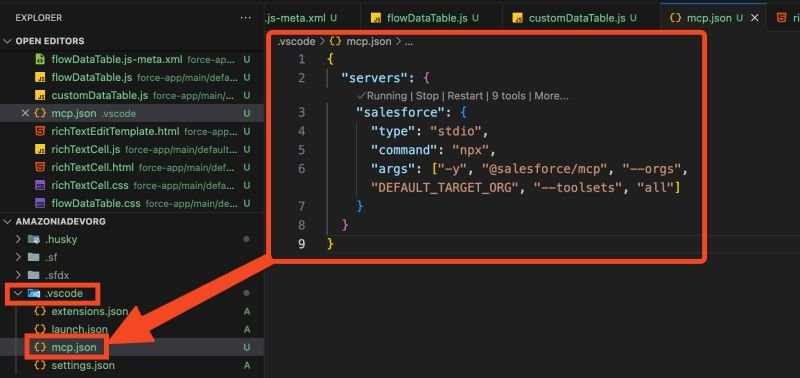
1) create this mcp.json file under the .vscode folder
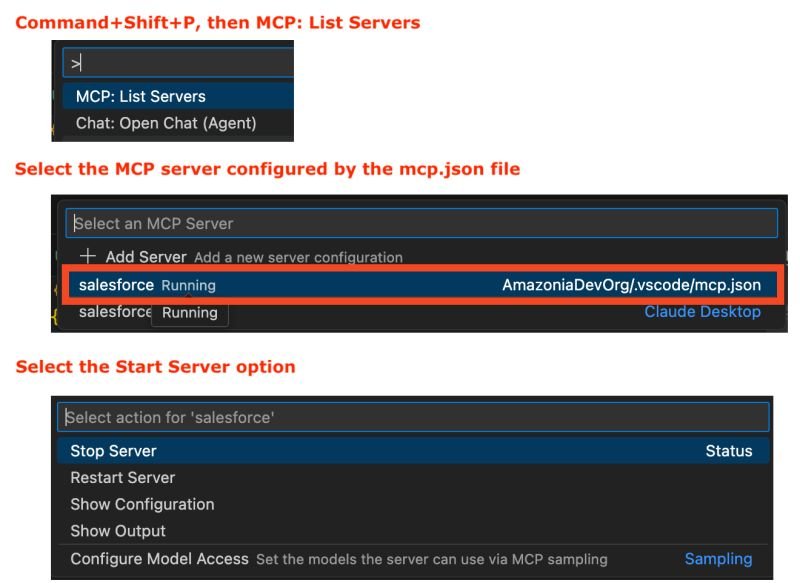
2) in VS Code, Ctrl+Shift+P or Command+Shift+P or go to View -> Command Palette and enter MCP: List Servers
3) click salesforce, then click Start Server
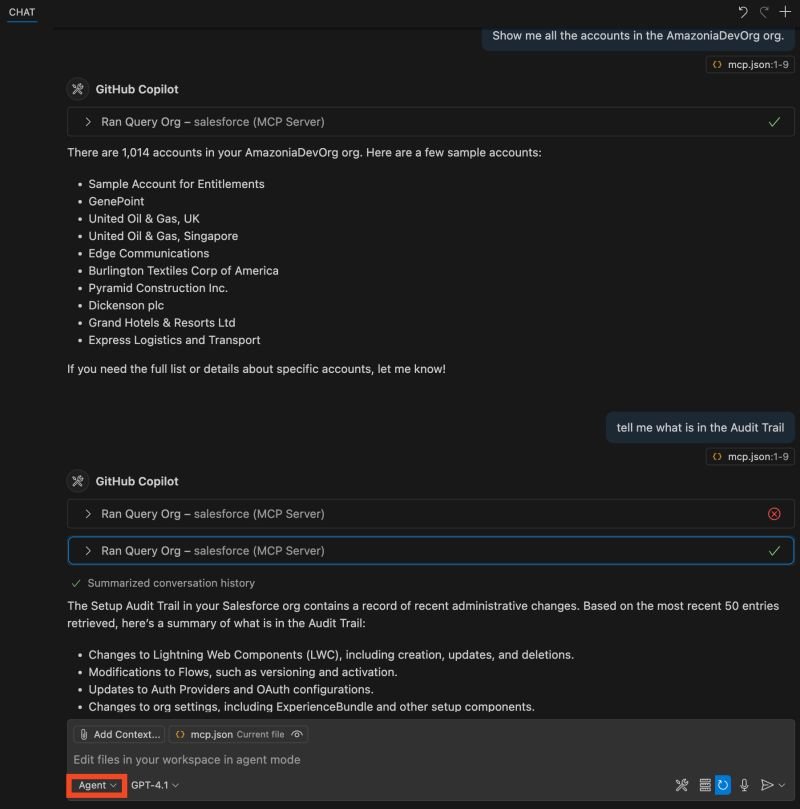
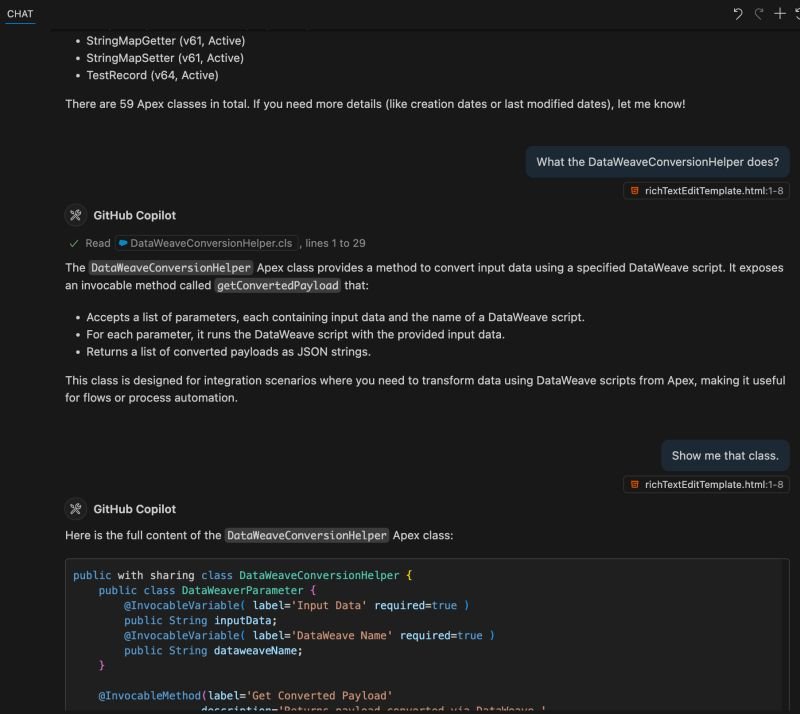
It did everything I've asked:
- list accounts, Setup Audit Trail, Apex classes, explain and show one of the classes